Private Internet Access VPN: a thorough guide to using and evaluating PIA
A practical overview of Private Internet Access VPN, how it works, features, privacy impact, pricing, and how to choose it.
Private Internet Access VPN (PIA) is a veteran player in the crowded world of virtual private networks. If you’re weighing options for online privacy, security, and the ability to browse with fewer geographic restrictions, PIA is worth understanding deeply. This guide answers common questions about how PIA works, what you get for your money, and how to decide if it’s right for you. We’ll cover core features, privacy practices, performance considerations, pricing, and practical setup tips.

What is Private Internet Access VPN and how does it work?
PIA is a VPN service that creates an encrypted tunnel between your device and a remote server operated by PIA or its partners. When you connect, your internet traffic is routed through one of PIA’s servers. This has several effects:
- It hides your real IP address from websites and services.
- It encrypts data in transit, protecting sensitive information from onlookers on untrusted networks (like public Wi‑Fi).
- It can help bypass content restrictions and geo‑blockages by letting you appear to originate from a different location.
PIA supports common VPN protocols, including OpenVPN and WireGuard, with options to customize encryption and handshakes. This level of configurability is a double‑edged sword: you can tailor performance and security, but it may require more hands‑on setup and understanding than turnkey VPN apps.
Key features and how they affect your privacy
PIA positions itself around privacy, transparency, and control. Here are the features that influence your experience and privacy posture:
- No-logs policy: PIA has historically marketed itself as keeping no traffic logs. In practice, privacy is also shaped by jurisdiction and third‑party data requests. Always review the current policy and any regional data retention laws that could apply.
- Kill switch: A critical feature that prevents data leaks if the VPN disconnects unexpectedly. This is especially important for torrenting, banking, or communicating over sensitive channels.
- Split tunneling: Lets you choose which apps or traffic go through the VPN and which bypass it. Useful when you want local access to devices on your home network or streaming services with regional limitations.
- MACE and content filtering: Some builds offer built‑in ad/tracker blocking or domain filtering, which can enhance privacy and reduce exposure to malicious sites. Note that this can sometimes block legitimate resources.
- Protocol options and encryption: OpenVPN and WireGuard are the main choices. WireGuard usually offers better speed with modern cryptography, while OpenVPN can provide broader compatibility in some environments.
- Multi‑device support: PIA licenses often cover multiple simultaneous connections. This makes it practical for a household or a small team.
- Obfuscation and stealth features: In restricted networks (such as schools or workplaces), PIA may offer obfuscated servers to help bypass DPI detection. Availability depends on the plan and region.
Understanding these features helps you decide what to enable. For most users, enabling kill switch and using WireGuard or OpenVPN with strong encryption strikes a good balance between speed and privacy. Private Internet Access: a comprehensive guide to choosing, using, and understanding PIA
How PIA performs in practice: speed, reliability, and streaming
Performance varies by server location, your base connection speed, and how you configure the client. Common considerations:
- Location quality: The closer you are to a PIA server, the lower your latency and higher your sustained speeds. For gaming or real‑time communication, a nearby server with WireGuard tends to perform best.
- Protocol choice: WireGuard generally yields faster speeds and lower overhead than OpenVPN, though some networks may throttle or block certain ports. If you need maximum throughput, test both protocols.
- Streaming and geo‑unblocking: PIA can unblock many streaming services by masking your location. However, streaming platforms frequently update their VPN defenses, so success isn’t guaranteed long‑term. If you rely on this, keep an eye on the current service status or alternative servers.
If you’re troubleshooting speed issues, try:
- Switching to WireGuard, then to OpenVPN if needed.
- Selecting a server in a nearby country with a stable connection.
- Ensuring kill switch and IPv6 leak protection are enabled to prevent accidental leaks.
Privacy, security, and legal considerations
A VPN is not a magic shield. It’s a privacy tool that reduces exposure but has limits:
- Jurisdiction: PIA is incorporated in the United States, which means it’s subject to U.S. law and potential data requests. The no‑logs claim is important, but you should read the policy and understand what data is collected (e.g., connection metadata, payment data) and retained.
- Logs and data handling: Even with a no‑logs stance, many VPN services collect some metadata for operational reasons. Understand what is stored, how long, and under what circumstances data could be handed to authorities.
- End‑to‑end protections: A VPN does not encrypt traffic outside the VPN tunnel. Services you use can still be compromised by malware, phishing, or insecure websites. Combine VPN use with good endpoint security practices.
- PII during payments: When you subscribe, your payment method is processed by third‑party processors. Review how data is handled, stored, and shared.
If privacy is your top priority, pair PIA with best‑practice habits: keep devices updated, enable two‑factor authentication where available, and be mindful of the data you share with online services. Privado VPN: a clear guide to what it is, how it works, and whether it’s right for you
Plans, pricing, and value
PIA’s pricing structure typically includes monthly, yearly, and longer‑term options. Exact prices change. You can generally expect:
- A lower monthly rate with longer commitments.
- A liberal device limit that covers a household or small team.
- Occasional promotional discounts or bundles with other services.
When evaluating value, consider:
- The number of devices you need to protect.
- Whether you require advanced features like split tunneling or obfuscated servers.
- Your willingness to pay for a longer subscription to secure the best price.
In some markets, standalone privacy tools or anonymity services can be cheaper on paper, but you should weigh the total cost against reliability, performance, and support.
How to set up PIA: a quick practical walkthrough
Getting started with PIA usually follows these steps: PIA VPN: what it is, how it works, and how to decide if it’s right for you
- Sign up for a plan that fits your needs and choose a payment method you’re comfortable with.
- Download the PIA client for your operating system (Windows, macOS, Linux, iOS, Android) or use a compatible router setup if you want device‑level protection.
- Install and launch the app, then sign in with your account credentials.
- Choose a server, or let the app auto‑select based on speed or location requirements.
- Enable critical protections: kill switch, IPv6 leak protection, and split tunneling if you plan to use it.
- Connect and verify: check your IP address on a site like ipinfo.io or similar to confirm an alternate location and ensure your real IP is not leaking.
- Optional routing tweaks: configure split tunneling to protect only sensitive apps or to bypass the VPN for streaming or local network devices.
For users who prefer advanced setup, PIA supports manual configuration with OpenVPN or WireGuard profiles, which can be used in third‑party clients or network devices. This is handy for Linux enthusiasts or for routing all traffic through a router.
A practical comparison: Private Internet Access VPN vs. competitors
Here is a quick, high‑level comparison to help you decide:
| Consideration | Private Internet Access VPN (PIA) | Competitor A | Competitor B |
|---|---|---|---|
| Privacy stance | No‑logs emphasis; U.S. jurisdiction; transparent policy | Strong privacy claims; mixed jurisdictions | Varies; some offer more aggressive data minimization |
| Protocols | OpenVPN, WireGuard; customizable settings | Often WireGuard + OpenVPN, simpler UI | Often WireGuard; simpler defaults |
| Pricing | Flexible plans; discounts for longer terms | Typically higher or similar; promotions | Budget options, fewer features |
| Device support | Multi‑device, mobile apps, desktop apps | Broad support; some devices limited | Broad support |
| Features | Kill switch, split tunneling, MACE-type filters | Kill switch, DNS leak protection; some extras | Varies; ad blockers common |
| Streaming viability | Generally good, can vary by service | Good on many services, updates may affect access | Endpoint varies; streaming reliability not guaranteed |
Note: The table reflects general trends and what you might expect. Always verify current features and pricing on the official PIA site before subscribing.
Common concerns and how to address them
- Data leaks: Always enable DNS leak protection, IPv6 leak protection, and kill switch. Periodically test with online DNS leak tests to confirm protection is active.
- Geo‑block bypass: If a service blocks VPNs, try different servers or switch to WireGuard. Some platforms detect VPN IPs and block them. Rotate servers if needed.
- Account security: Use a strong, unique password and enable two‑factor authentication wherever possible. This reduces the risk of account compromise if your credentials are exposed.
- Customer support: Evaluate the availability of live chat, email support, and knowledge base. A responsive support team reduces downtime when you need urgent help.
Final recommendation
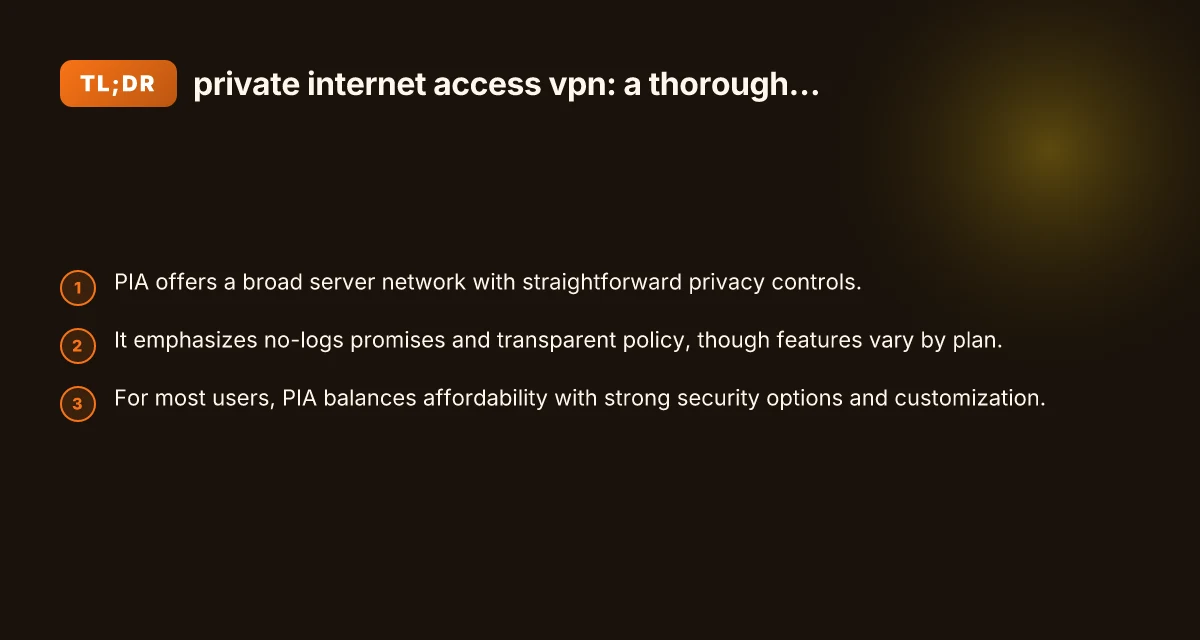
If you’re seeking an affordable, flexible VPN with a long‑standing presence and a broad server network, Private Internet Access VPN is a compelling option. It delivers solid privacy features, strong encryption choices, and a level of customization that appeals to tech‑savvy users who want control over protocol and routing. It’s especially appealing for households with multiple devices and users who value a balance between price and performance. Panda VPN: a thorough guide to using PandaVPN for secure, private browsing
However, if your top priority is the most robust no‑logs guarantees backed by a jurisdiction you’re fully comfortable with, you may want to read current third‑party audits or consider providers with explicit independent verification. If you want a VPN that’s easy to set up for beginners and prioritizes a simple, polished experience with streaming compatibility out of the box, you might compare with other providers before committing.
Bottom line: test it. Take advantage of any trial window or monthly plan to evaluate performance, privacy impact, and compatibility with your devices and services. With a measured setup, kill switch on, proper protocol chosen, and server selection tuned to your needs, PIA can be a reliable cornerstone of your online privacy toolkit.
| VPN | Obfuscation | From / month | Plan | Free plan | Refund | Alipay | UnionPay | Crypto | Website opens in China | Trustpilot | |
|---|---|---|---|---|---|---|---|---|---|---|---|
 Private Internet Access | Turn on manually Shadowsocks, OpenVPN only | $2.03/mo | 40 months: $81.2 | No | 30 days | ✗ | ✗ | ✗ | ✗ | ✗ Blocked | 4.2/5 (11,033 reviews) |
 ZoogVPN | Turn on manually Shadow | $2.49/mo | 27 months: $59.99 | Yes | 7 days | ✓ | ✓ | ✓ | ✓ | Official site blocked; our special link opens (4.4 s) | 4.2/5 (195 reviews) |
 NordVPN | Turn on manually Obfuscated Servers / NordWhisper | $3.49/mo | 27 months: $94.23 | No | 30 days | ? | ✗ | ✓ | ✓ | ✗ Blocked | 4.2/5 (51,628 reviews) |
 ExpressVPN | ✓ On by default all servers | $3.00/mo | 28 months: $84 | No | 30 days | ✗ | ✗ | ✓ | ✗ | ✗ Blocked | 4.4/5 (29,706 reviews) |
 Surfshark | ✓ On by default Camouflage, with OpenVPN | See site | See site | No | 30 days | ✗ | ✗ | ✗ | ✓ | ✗ Blocked | 4.3/5 (31,823 reviews) |
 Proton VPN | Turn on manually Stealth, free plan too | $2.99/mo | 12 months: $35.88 | Yes | 30 days | ✗ | ✗ | ✗ | ✓ | ✗ Blocked | 2.1/5 (1,040 reviews) |
 Astrill VPN | Turn on manually StealthVPN / OpenWeb | $12.50/mo | 24 months: $300 | No | See site | ✗ | ✗ | ✗ | ✓ | ✗ Blocked | 1.3/5 (110 reviews) |
 CyberGhost | Turn on manually selected servers | $2.19/mo | 28 months: $61.32 | No | 45 days | ✗ | ✗ | ✗ | ✓ | ✗ Blocked | 4.0/5 (24,178 reviews) |
 PureVPN | Turn on manually switch to OpenVPN | $1.69/mo | 60 months: $101.55 | No | 31 days | ? | ? | ✗ | ✓ | ✗ Blocked | 4.4/5 (17,994 reviews) |
 AdGuard VPN | ✓ On by default TrustTunnel | $2.99/mo | 24 months: $71.76 | Yes | 30 days | ✓ | ✗ | ✓ | ✓ | Official site blocked; our special link opens (3.7 s) | 4.3/5 (290 reviews) |
 Mullvad | Turn on manually QUIC / Shadowsocks / LWO | $5.61/mo | €5/mo | No | 14 days | ✗ | ✗ | ✗ | ✓ | ✗ Blocked | 3.2/5 (192 reviews) |
 Windscribe | Turn on manually Stealth / WStunnel | $5.75/mo | 12 months: $69 | Yes | See site | ✗ | ✗ | ✗ | ✓ | ✗ Blocked | 4.7/5 (13,355 reviews) |
 StrongVPN | Turn on manually Scramble, OpenVPN TCP | See site | See site | No | 30 days | ✓ | ✗ | ✗ | ✗ | ✗ Blocked | 4.4/5 (2,695 reviews) |
 LightXtreme 闪连 | Not listed | $7.08/mo | 12 months: $84.99 | Yes | 30 days | ✓ | ✓ | ✓ | ✓ | ✓ Yes (3.5 s) | No page |
Prices checked 2026-11-10 on each vendor's pricing page (cheapest long plan, USD). Check the vendor's checkout for the final price.
Obfuscation checked 2026-11-14 on each vendor's site and help center: "on by default" = nothing to set; "turn on manually" = switch protocol or mode in settings; "not listed" = the vendor describes no obfuscation.
Payment methods checked 2026-11-10 on each vendor's payment pages: all 14 take cards and PayPal; ✗ = not listed, ? = the vendor's own pages disagree.
China access: whether the official website opens from mainland China networks (tests the website only, not the VPN connection). Last checked 2026-11-18 01:02 Beijing time.
Trustpilot score and review count checked 2026-11-10.
Naomi writes about VPN apps, browsers and privacy settings.